Automatic Staff Scheduling in Food Retail
From self-study to a working automatic planning tool – developed across three versions.
Ahead of my professional move into food retail, I wanted to understand the interrelations of operational staff scheduling not only in theory, but to work through them practically using a concrete task.
Entirely on my own initiative, this grew into an extensive Excel/VBA project: an automatic staff scheduler for a fictitious food retail store.
The aim was not to build a company system used in production, but to carry out a self-study that was as close to practice as possible – covering staffing requirements, sales, qualifications, absences, working hours, coverage requirements and the other conditions of realistic staff scheduling.
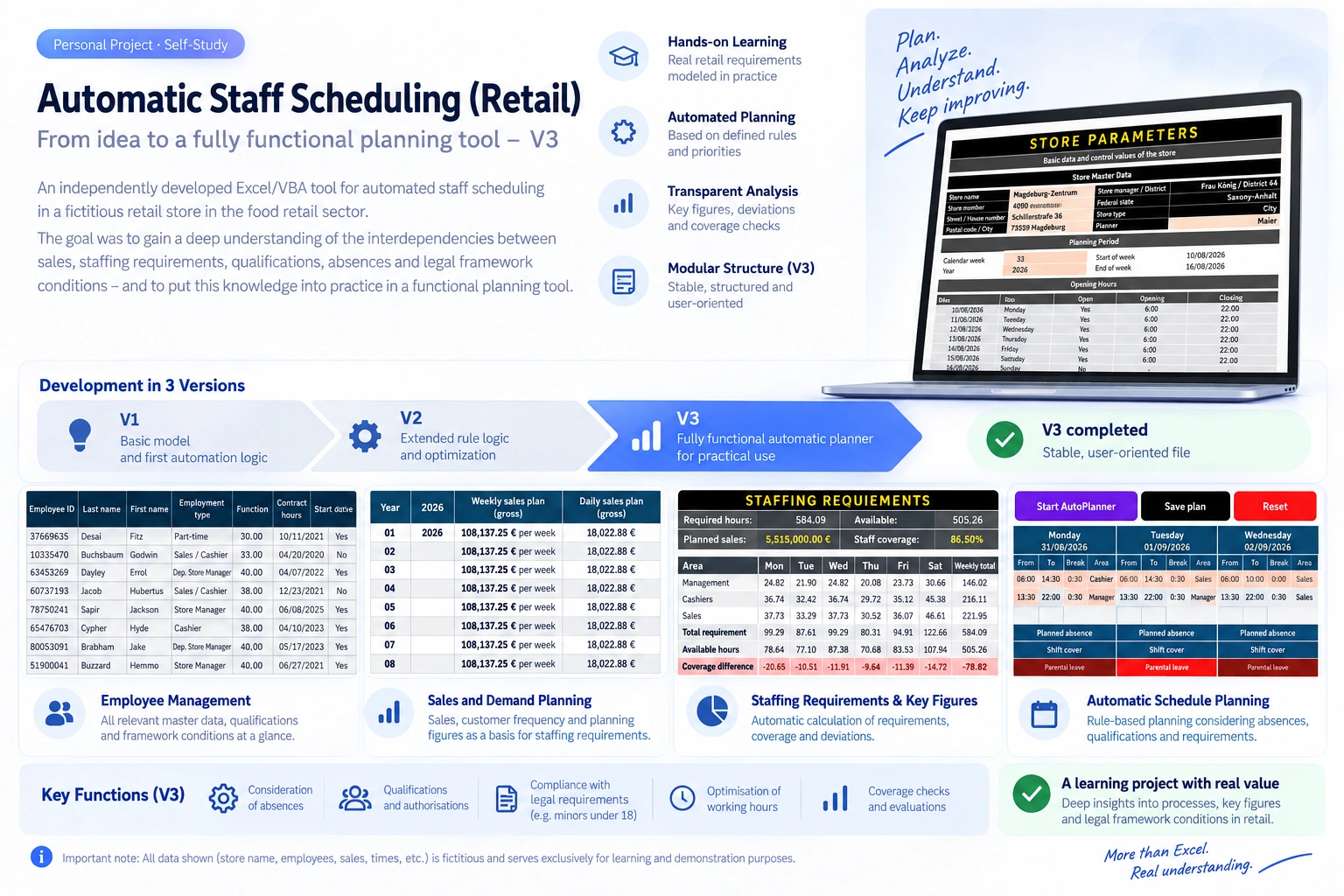
Note: All store, employee, sales and planning data shown in this project is fictitious and was created purely for learning and demonstration purposes.
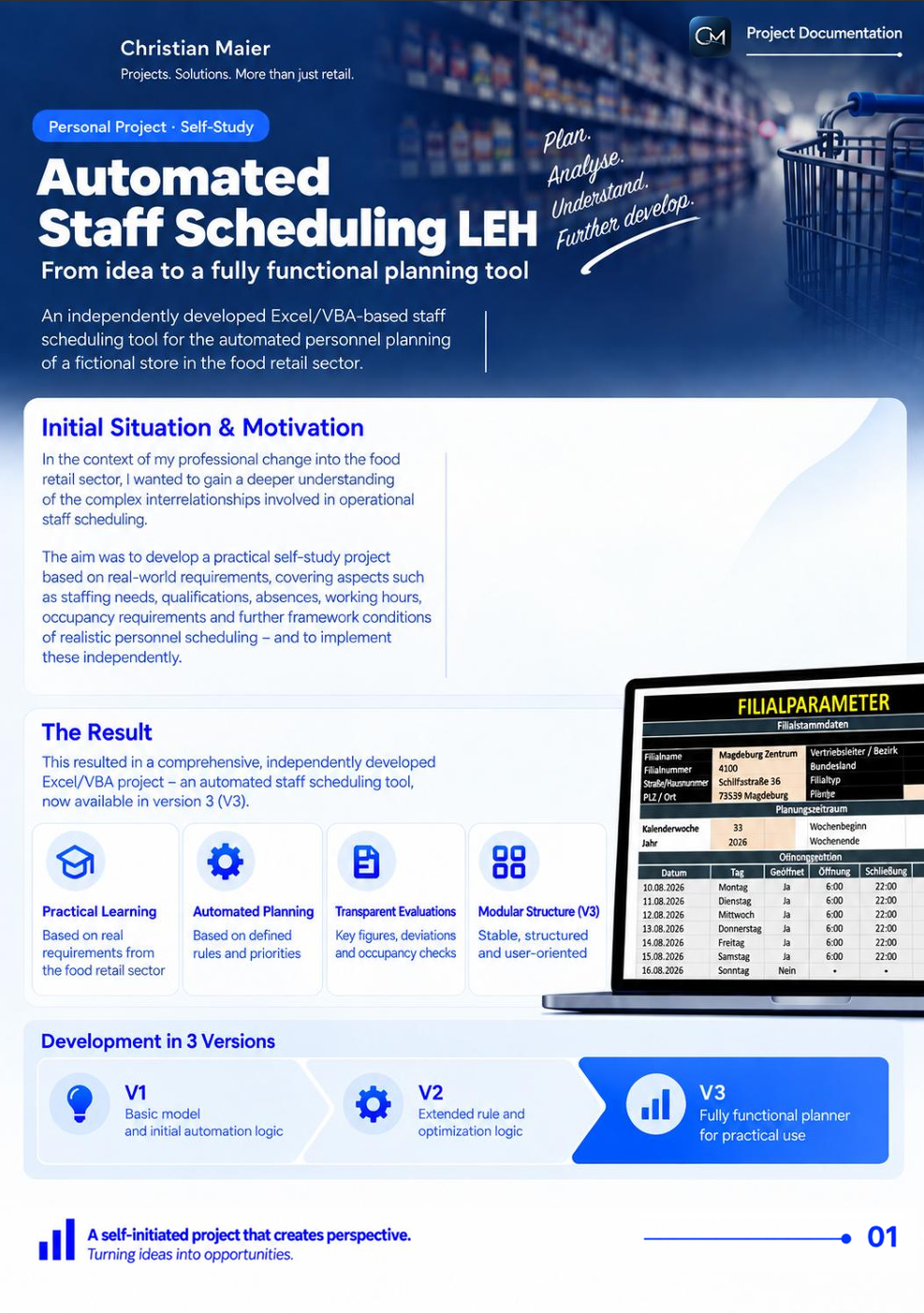
Project Documentation
The Project in Detail
The full 14-page project documentation explains the AutoPlaner's structure, functionality and development – from store parameters and employee data to automated staff scheduling and coverage checks.
14 pages · PDF · English
View Project DocumentationThe initial question
How can realistic staff scheduling be modelled so that available working hours are not simply distributed, but staffing requirements, qualifications, absences, coverage requirements, opening hours and economic KPIs are taken into account at the same time?
From this initially theoretical question, an increasingly comprehensive planning model developed step by step.
Staff scheduling as a learning model
The automatic scheduler was at the same time my tool for understanding food retail more deeply. These are the topics I worked through step by step:
Sales & requirements
- the relationship between sales and staffing requirements
- available and required working hours
- productivity, i.e. sales per working hour
- reviewing over- and under-coverage
Hours & coverage
- minimum staffing levels
- opening and closing phases
- peak times and varying demand phases
- public holidays and deviating opening hours
Employees & rules
- areas of deployment such as store management/responsibility, checkout and sales floor
- employee qualifications and authorisations
- contractual hours and working time accounts
- shift responsibility as well as opening and closing authorisations
Absences & planning rules
- absences
- full-day and hourly absences
- further defined staffing and planning rules
This is explicitly not a legally certified or fully labour-law-validated planning system. The project served private self-study and a practical exploration of these conditions.
From a store model to a planning basis
Planning does not begin with the weekly schedule. First, a model of the store had to be created.
For this, store parameters, opening hours, deviating opening hours, planning periods, employee master data, contractual hours, functions, qualifications, authorisations, absences and economic target figures were captured in a structured way.
This information then formed the shared data basis for demand calculation, rule checks and automatic scheduling.
Turning sales into staffing requirements
A central element of the model was linking economic target figures with the required staff deployment.
Sales planning, target productivity, available working hours and defined demand phases were connected with one another. From this, the model could derive a calculated staffing requirement and compare it with the hours actually available.
Planning did not only look at total demand, but differentiated between store management/responsibility, checkout and sales floor, as well as additional requirements for opening, closing, peak times and minimum staffing.
All figures visible in the project graphic are fictitious test and demonstration values, not real company KPIs.
Not just planning – making deviations visible
Besides the scheduling itself, the model was meant to make transparent where planning reaches its limits.
Required and available hours, coverage differences and staffing per area of deployment were therefore compared with each other.
A management check summarised key anomalies and made visible, for example, whether headcount, minimum staffing or certain areas of deployment were critical.
That turned the weekly schedule into an analysis instrument at the same time.
Absences as part of the planning
Absences were not entered into a finished plan afterwards, but treated as part of the planning basis from the start.
The model distinguished between full-day and hourly absences and took their effect on the working hours actually available into account.
Public holidays and absences outside the current planning week could also be recorded and classified in a structured way.
From the first model to V3
- V1
Basic model
Building the fundamental data structures and first automation and planning logics.
- V2
Rule and optimisation logic
A much deeper exploration of candidate selection, requirements, conflict checks, remaining demand and optimisation logic.
- V3Final stage
Working auto-scheduler
A deliberate rebuild based on the insights from V1 and V2. Modular, rule-based and developed to the point where the file could be used as a coherent planning tool by a user.
How the auto-scheduler works
- Import absences
- Build the planning basis
- Check availability
- Check qualifications & authorisations
- Consider staffing requirements
- Schedule employees
- Check coverage requirements
- Optimise hour accounts
- Evaluate the plan
The automatic planning is based on a defined sequence of rules and priorities. The aim was not simply to distribute employees across free time slots, but to produce the most plausible weekly schedule possible within the previously defined conditions.
Rule-based instead of random
- mandatory coverage has the highest priority
- take required shift responsibility into account
- take opening and closing authorisations into account
- take employee qualifications into account
- include absences before the actual scheduling
- consider staffing requirements per area of deployment
- staff sales floor and checkout according to demand
- meet contractual hours as closely as possible
- limit over- and undertime as far as possible
- comply with the defined hard planning rules
- then show the result and any remaining differences transparently
These rules reflect the conditions defined within the project. They do not imply complete automated coverage or verification of all legal or labour-law requirements.
From a learning model to a usable application
With V3, the individual development building blocks came together into a working automatic planning process.
The user could load the necessary planning basis, start the auto-scheduler and have the defined modules run automatically one after another.
Once completed, a filled weekly schedule, coverage checks, demand deviations and working time differences were available for further review.
The private learning project thereby reached a stage where the file no longer consisted of separate calculations and development modules, but could be operated as a coherent planning tool.
What I took away from it
The greatest value of this project for me was not the Excel file itself, but the understanding that emerged while developing it.
To be able to build an automatic scheduler, I had to work systematically through the connections between sales, productivity, staffing requirements, qualifications, working time, absences, coverage and store organisation, and translate them into comprehensible rules.
At the same time, I was able to deepen my knowledge of Excel, VBA, data logic, automation, error analysis and modular development.
A private self-study therefore grew into an extensive learning project in which professional understanding and technical implementation were directly connected.
How to classify this project
This project was created in 2026 entirely on my own initiative for learning and development purposes. It was not developed on behalf of a company and was not part of my previous professional project responsibilities.
All store, employee, sales and planning data used is fictitious and was created solely for this learning project.
Would you like to explore the project in more depth?
The complete 14-page project documentation presents each module and function in detail.
More case studies